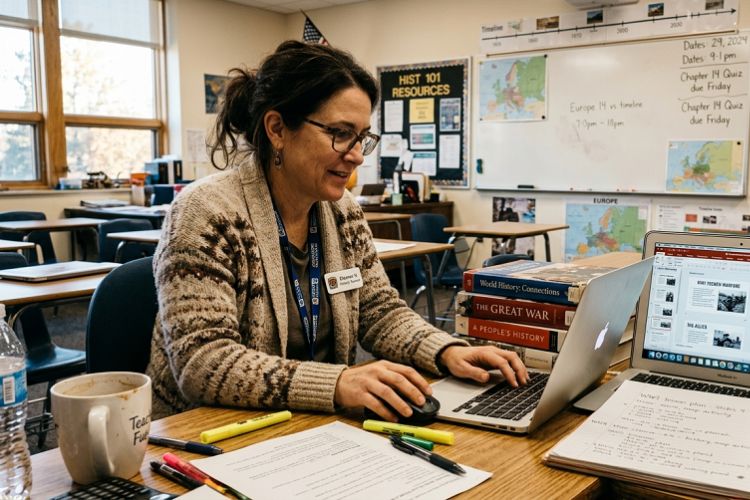
Last fall, my friend Sarah — a middle school science teacher in Ohio — told me she spent almost three hours rebuilding a slide deck the night before class because PowerPoint completely broke her formatting after she copied material from a PDF worksheet.
The charts shifted. The fonts changed. Half the images stretched off-screen.
She laughed about it later, but at 11:40 PM, staring at 32 messy slides and knowing her first-period class started at 7:50 the next morning? Not funny at all.
That conversation stuck with me because it’s exactly the kind of invisible workload most people outside education never see.
Teachers aren’t just teaching anymore. They’re designing presentations, organizing digital content, adapting materials for online learning, updating lesson plans, exporting classroom resources, fixing formatting problems, and trying to make slides engaging enough to keep students awake after lunch.
That’s one reason more educators have quietly started using AI-powered presentation tools.
Not because they want robots teaching students. Mostly because they’re tired of wasting hours moving text boxes around.
The Shift Happening in Real Classrooms
A few years ago, AI slide tools felt gimmicky. Most teachers I know ignored them.
Now? Different story.
I’ve talked to:
- elementary teachers building vocabulary slides
- college instructors turning lecture notes into visual decks
- tutors creating SAT prep presentations
- homeschooling parents organizing weekly lesson plans
- instructional coaches building staff training materials
And almost all of them mention the same thing: speed.
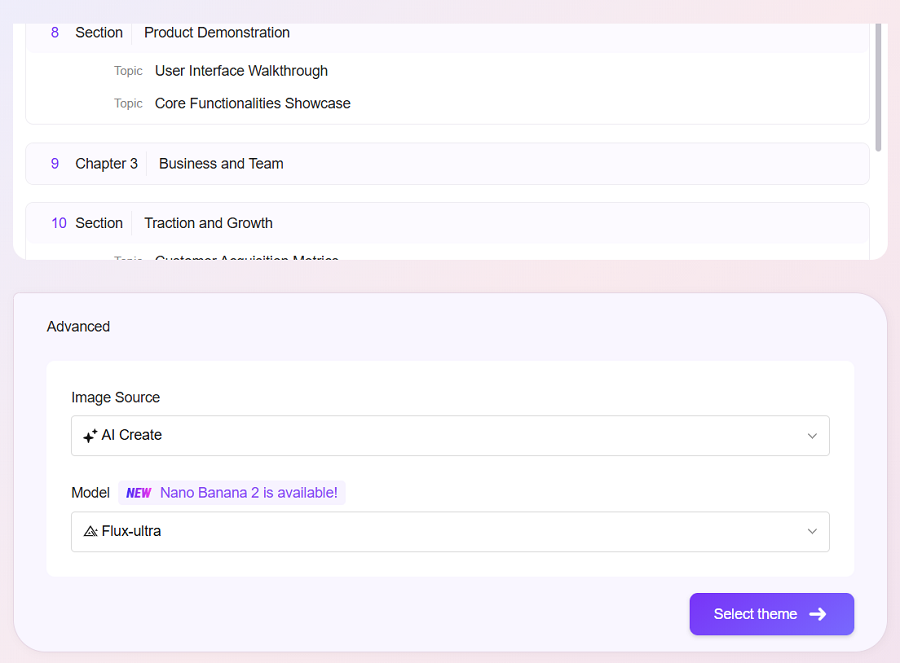
One teacher told me she generated a 30-slide classroom presentation from a rough lesson outline in under 60 seconds. She still edited the slides afterward, of course. But starting with structure instead of a blank page made a huge difference.
That’s where tools like an ai powerpoint generator actually become useful in education. The value isn’t “AI magic.” It’s removing repetitive setup work teachers never wanted to spend time on in the first place.
Sound familiar?
Why Traditional Slide Creation Burns Teachers Out
People underestimate how long classroom presentations take.
A decent lesson deck usually includes:
- title slides
- learning objectives
- discussion prompts
- visual examples
- timelines
- review questions
- recap sections
- homework instructions
Now multiply that by:
- five classes
- multiple grade levels
- weekly curriculum changes
- state standard adjustments
- hybrid learning requirements
That workload adds up fast.
And here’s the frustrating part: teachers often already have the content.
The notes exist.
The curriculum exists.
The worksheets exist.
The problem is converting static material into something visual and classroom-ready.
That conversion process is where hours disappear.
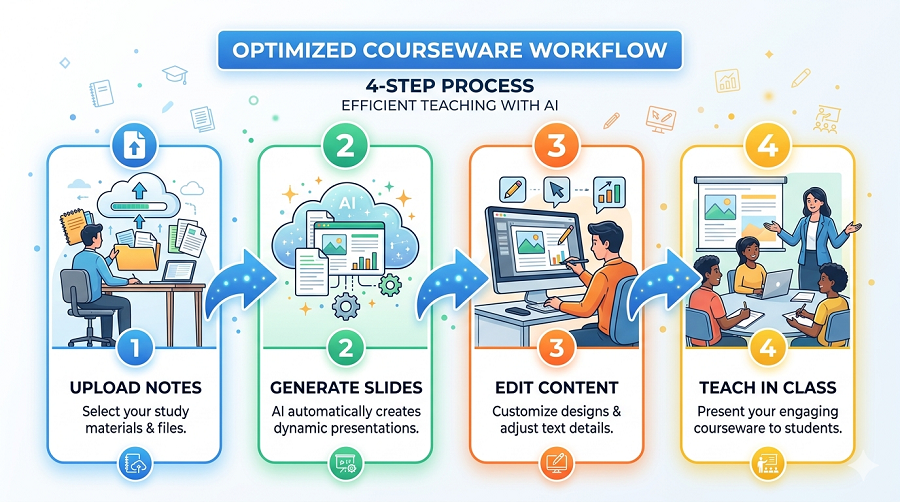
Turning Raw Notes Into Usable Slides
When I first tested one of these AI presentation tools, I used a messy Google Doc full of bullet points from a U.S. history lesson.
Honestly, I expected terrible results.
But the output surprised me.
The AI automatically organized:
- section headers
- key concepts
- timeline structure
- recap slides
- visual hierarchy
Even the master slides were reasonably clean.
Was it perfect? No. Some wording felt generic, and I still customized examples for students. But instead of spending two hours building structure manually, I spent maybe 20 minutes refining content.
That’s a completely different workflow.
And for teachers already stretched thin, those saved hours matter.
The Biggest Advantage Isn’t What Most People Think
A lot of articles talk about “AI productivity.” That phrase feels vague.
The real advantage is mental energy.
Teachers make hundreds of small decisions every day. By the evening, even basic formatting tasks can feel exhausting.
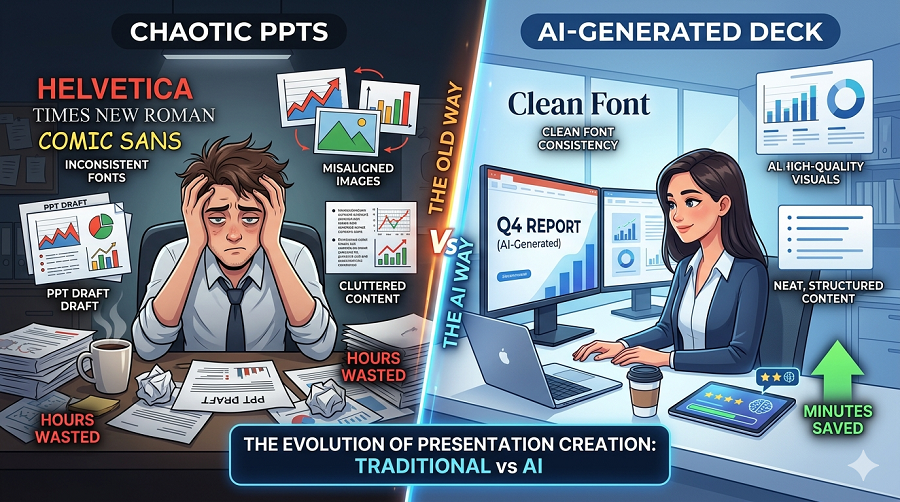
Choosing layouts.
Resizing graphics.
Fixing alignment.
Adjusting font consistency.
Rebuilding broken charts.
None of that improves teaching quality directly.
Using an ai powerpoint maker helps reduce those repetitive production tasks so teachers can focus on actual instruction instead of slide maintenance.
That distinction matters.
Classroom Scenarios Where AI Slides Actually Help
1. Last-Minute Lesson Changes
A high school English teacher I know had to cover another instructor’s class with almost no prep time. She generated an emergency lesson deck from chapter summaries in about 10 minutes.
Not award-winning design. But classroom-ready.
That’s the difference.
2. Remote Learning and Hybrid Classes
Online instruction changed presentation expectations completely.
Slides now need to work:
- on projectors
- on Zoom
- on tablets
- on shared screens
- inside LMS platforms
Teachers often rebuild the same content multiple times for different environments.
AI-generated decks speed up that adaptation process.
3. Supporting Visual Learners
Some students absorb information better through visual sequencing than long verbal explanations.
AI slide tools often create:
- cleaner information hierarchy
- better spacing
- more digestible sections
- visual pacing between concepts
That’s especially useful in middle school and introductory college courses where overloaded slides lose student attention quickly.
What Teachers Still Need to Edit
This part is important.
AI presentations are drafts. Not final teaching materials.
Experienced educators still customize:
- discussion questions
- classroom examples
- grade-level language
- humor
- local curriculum references
- assessment sections
No AI tool fully understands classroom dynamics.
And honestly, that’s fine.
The goal isn’t to replace teachers. The goal is to eliminate unnecessary production work.
Common Mistakes Teachers Make With AI Slide Tools
After testing several workflows, I noticed a few patterns.
Overloading the Prompt
Some teachers paste entire textbook chapters and expect perfect presentations.
Usually that creates bloated slides with too much text.
Better approach:
- short lesson outline
- clear topic structure
- concise bullet points
The cleaner the source material, the better the presentation output.
Ignoring Slide Flow
AI can generate content fast, but teachers still need to check pacing.
Students tune out quickly if every slide looks identical.
Breaking up:
- visuals
- discussion moments
- recap questions
- diagrams
- short activities
keeps presentations more engaging.
Leaving AI Language Unedited
This is a big one.
Sometimes AI-generated explanations sound robotic or too formal for students. Teachers should absolutely rewrite sections in their own voice.
That personal teaching style is what students connect with.
Why This Trend Is Growing Fast in Education
A lot of teachers are exhausted.
That’s not controversial anymore. Teacher burnout is real, and presentation prep is one of those hidden time drains administrators rarely measure accurately.
If AI can reduce:
- two hours of formatting
- repetitive slide building
- design cleanup
- presentation restructuring
every week, many educators will gladly adopt it.
Especially younger teachers already comfortable using digital workflows.
AI Slides Don’t Replace Teaching Experience
One thing I noticed after speaking with several educators: the best presentations still come from experienced teachers.
AI can organize information.
It can suggest layouts.
It can build structure.
But experienced teachers understand:
- where students get confused
- which examples work
- when to slow down
- how to explain difficult concepts simply
That human layer still matters more than the slides themselves.
The technology just helps teachers get to the starting point faster.
Final Thoughts
Most teachers are not looking for shortcuts.
They’re looking for breathing room.
Better presentation workflows mean less late-night formatting, fewer blank-slide headaches, and more time spent on lesson quality instead of design cleanup.
And honestly, that’s probably why AI presentation tools are spreading across schools faster than many people expected.
Not because they’re trendy.
Because after building your fourth classroom deck of the week, fixing another broken template at midnight, and realizing you still have papers to grade… saving even one hour suddenly feels valuable.
Note: The content on this article is for informational purposes only and does not constitute professional advice. We are not responsible for any actions taken based on the information provided here.